
|
|||||||||
|
Introduction The MusicCast system from Yamaha has been out for some time now. It was first released with the centerpiece unit being the ahead-of-its-time MCX-1000 digital music jukebox. The latest version, the MCX-2000, brings many new features to the table.
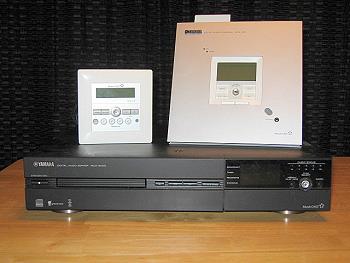
The package I received to review included the MCX-2000
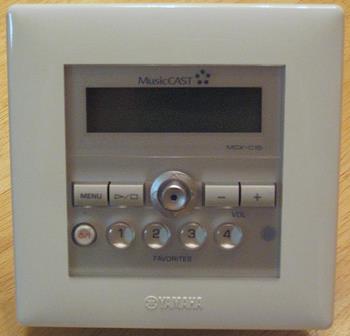
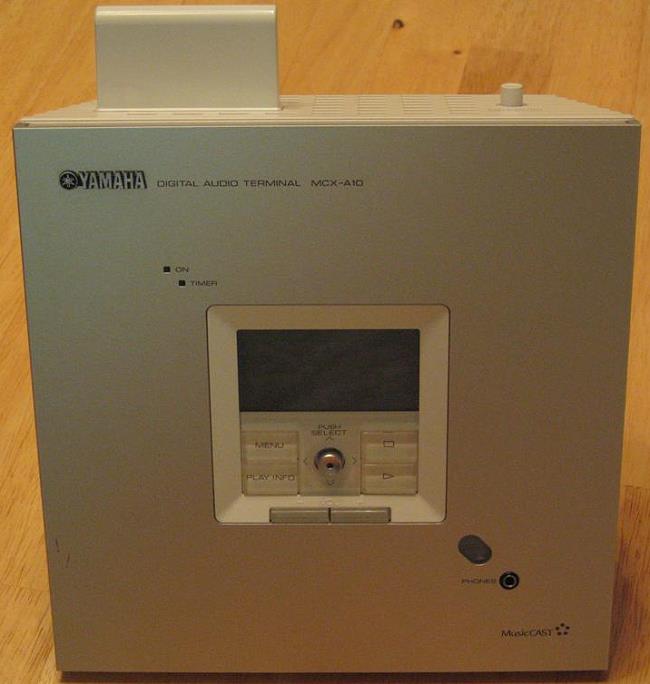
MusicCast server, one MCX-A10 wireless client, and one MCX-C15 wired in-wall
client with the MCX-AC15 digital amplifier option. I also received an XM
Connect and Play antenna. Having had the opportunity to review several
server-based music systems in the last year, I was anxious to try out the
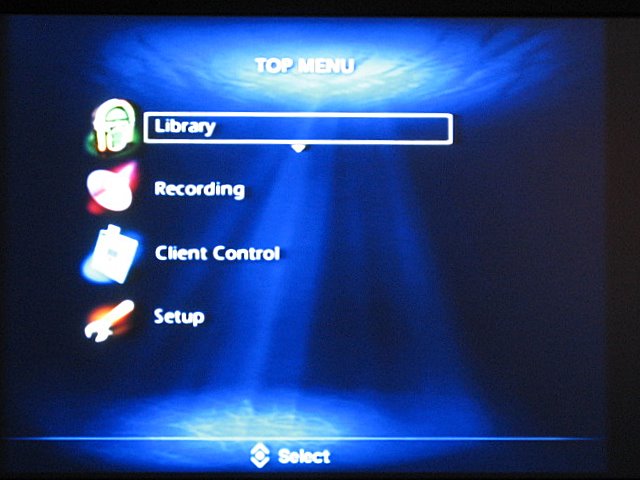
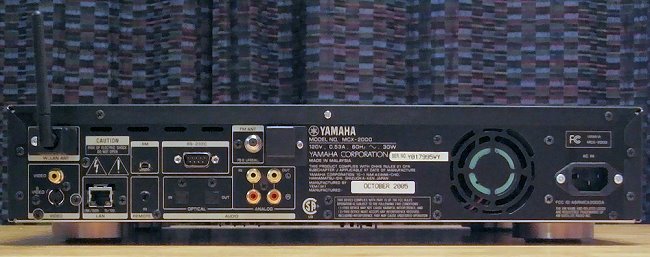
much lauded MusicCast system. The first thing to understand about the Yamaha MusicCast system is that it is quite scalable. The MCX-2000 unit can be used as a standalone music server and is plenty functional on its own. Adding clients to the system can be as simple as using one of the wireless MCX-A10 units with a pair of speakers, or as complicated as installing the wired MCX-C15 in-wall clients with the MCX-AC15 digital amplifiers and attaching them to in-ceiling speakers in every room of your home. This makes the MusicCast system a good fit for a wide variety of installations. I chose to put the MCX-2000 in my living room. I connected it to my receiver via optical audio cable, and to my television through S-Video (composite is also included). While many things can be done using the LCD display on the front of the unit, you will not be happy using the system on a day-to-day basis without having it connected to an external video display. Turning it on for the first time, you are greeted by the MusicCast splash screen, and then the Easy Setup routine. This lets you set the language, date, and time, and then goes into the MusicCast system configuration. The Easy Setup takes you through configuration step by step, and is easy to follow; Yamaha did a good job here. Having a pretty complicated home network, however, I preferred to do everything manually. By integrating it into my network (as opposed to creating its own separate network), I was able to make use of the CDDB, internet radio, and network music access functionality.
A Multitude of Features It is almost easier to ask what the MCX-2000 can't do rather than what it can. First and foremost, the primary function of the unit is to rip and store your CD collection to its internal 160 GB hard drive. You can do this either as MP3 (160, 256, or 320 Kbps), or as both MP3 and PCM (16-bit @ 44.1 KHz). You may be asking yourself why you would want to take up valuable hard drive space by doing this. I thought the same thing at first, but after learning more about what the MCX-2000 can do, it made more sense. For example, by ripping it in both MP3 and PCM formats, you can keep the MP3 for your archive, but use the PCM data to make a bit-perfect backup of your CD. Once backed up, you can easily delete the PCM data but keep the MP3 version. If you have the space, you can keep the PCM data for a while if you want to make high quality compilation CDs.
Remote Control
Terminal
Rear Panel
|
|||||||||





 YouTube
 Facebook
 Twitter
 LinkedIn
 Pinterest
 Google+
 Instagram
Magazine Publishing Solutions by
 Advontemedia