
|
|||||||||
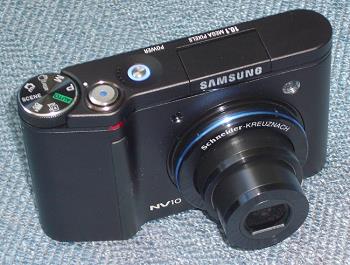
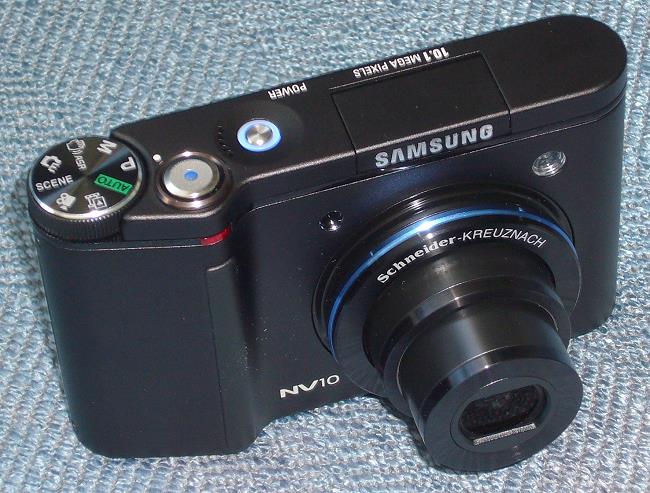
Every time I turn on the TV or look in a magazine these days, I see an ad for a Samsung product, usually high definition TVs with cool new features. Samsung seems to be very aggressive about releasing what they feel is leading edge technology. This week, in Time Magazine, there was a photo of Samsung's latest camera, the NV10. The caption talked about the camera's buttons on the back and the way they are touch sensitive (you don't have to push on them for every function; you just touch them to turn them on), stating that it, " . . . feels eerily like the future." (Time, October 9, 2006). Future, heck, it's here now. The NV10 The Samsung NV10 is a 10.1 megapixel Point-and-Shoot digital snapshot camera. Perhaps Point-and-Shoot (PAS) is an outdated term now, because just about every camera, including professional SLRs, can be used in a point-and-shoot fashion, by selecting the Program mode or the Idiot-Proof mode (one form of Auto that takes away most of the options so that you can't mess up the photo). However, the snapshot cameras, like the NV10, are primarily PAS, as compared to SLRs, which are used just as often in Manual mode as in the Program mode. So, for $350, you get 10.1 megapixels, a Schneider lens (they make some of the finest camera optics out there), and a very new type of button on the back to select your options (we will get to that in a moment). In the photo below, you can see the front and top of the camera. On the left is the mode dial, followed by the shutter release, the power-on button (which glows blue when the camera is powered on), then the pop-up flash (which is more powerful than some other point-and-shoot camera flashes I have used). On the front is the Schneider lens, which, like most PAS cameras these days, extends when the camera is turned on. To the left and above the lens is the Remote Control Sensor, and to the right is the Auto Focus Lamp. Below the lens and out of the field of view is a microphone. The speaker is to the left of the power-on button.
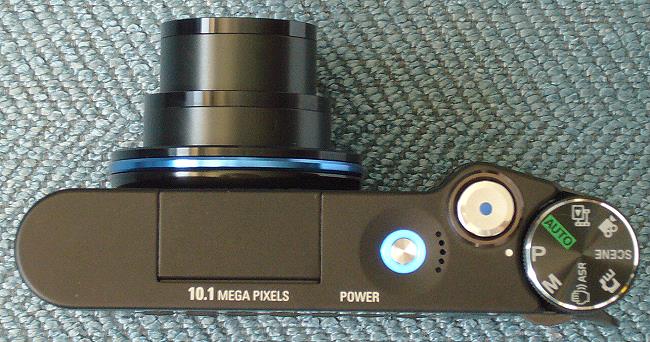
Below is a direct view of the top. The mode dial includes P (Program - where you have maximum flexibility in adjusting the various parameters such as ISO, Flash, Over and Underexposure), Auto (the Idiot-Proof mode), Photo Gallery (for adding sound effects to a slide show playback), Movie Clip (for recording MPEG-4 video clips), Scene (Sunset, Night, Dawn, Portrait, Fireworks, Beach & Snow), Special Effects (adds borders to the photos), ASR (image stabilization for use with slow shutter speeds), and Manual (you can adjust the f-stop and shutter speed).
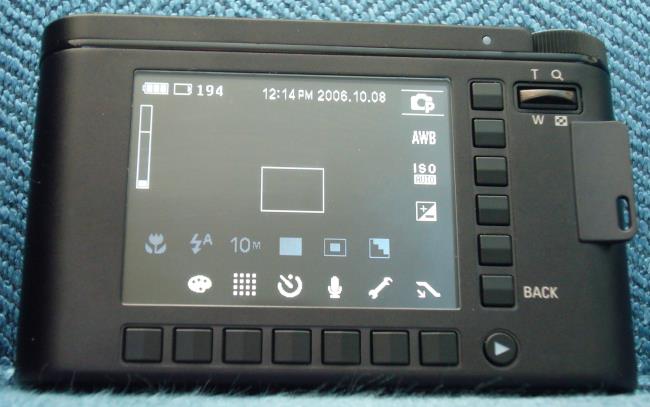
OK, now to the really new approach that Samsung has implemented with the NV10. The back of the camera has 13 square buttons that are touch-sensitive. That is, you can activate them by just touching them. You don't have to press them. Each one activates a menu. When you touch one, its menu title lights up. Then you press it to activate that menu. A list of selections appears either vertically or horizontally, and you press the button across from your selection to activate that item in the menu. These include Macro/AF, Effect (Sepia, B&W), Quality (Fine, Super Fine), ISO, and Auto White Balance - AWB (Daylight, Cloudy, Fluorescent, Tungsten). For some features, such as varying the shutter speed, you simply slide your finger across the buttons to change the speed. The same goes for the f-stop.
The Back button lets you move one step back from the latest function you performed, and the Arrow button is for reviewing photos that you have taken already. On the top right is the Zoom control. There is a 3:1 optical zoom on this camera, and the zoom level is shown on the screen with the vertical bar on the left hand side. The top part of that bar indicates digital zoom. Overall, the camera appears to have a very high build quality, and feels solid in the hands. Speaking of hands, the NV10 has a feature that is turning out to be quite popular on new camera models, namely shake control. By shifting pixels during the exposure, if you are using a slow shutter speed and are taking the photo without a tripod, the NV10 lets you get a sharper picture even if your hands are unsteady. The shake control feature turns on automatically at slow shutter speeds, and is indicated by a small hand icon on the LCD screen.
|
|||||||||





 YouTube
 Facebook
 Twitter
 LinkedIn
 Pinterest
 Google+
 Instagram
Magazine Publishing Solutions by
 Advontemedia