 YouTube
 Facebook
 Twitter
 LinkedIn
 Pinterest
 Instagram

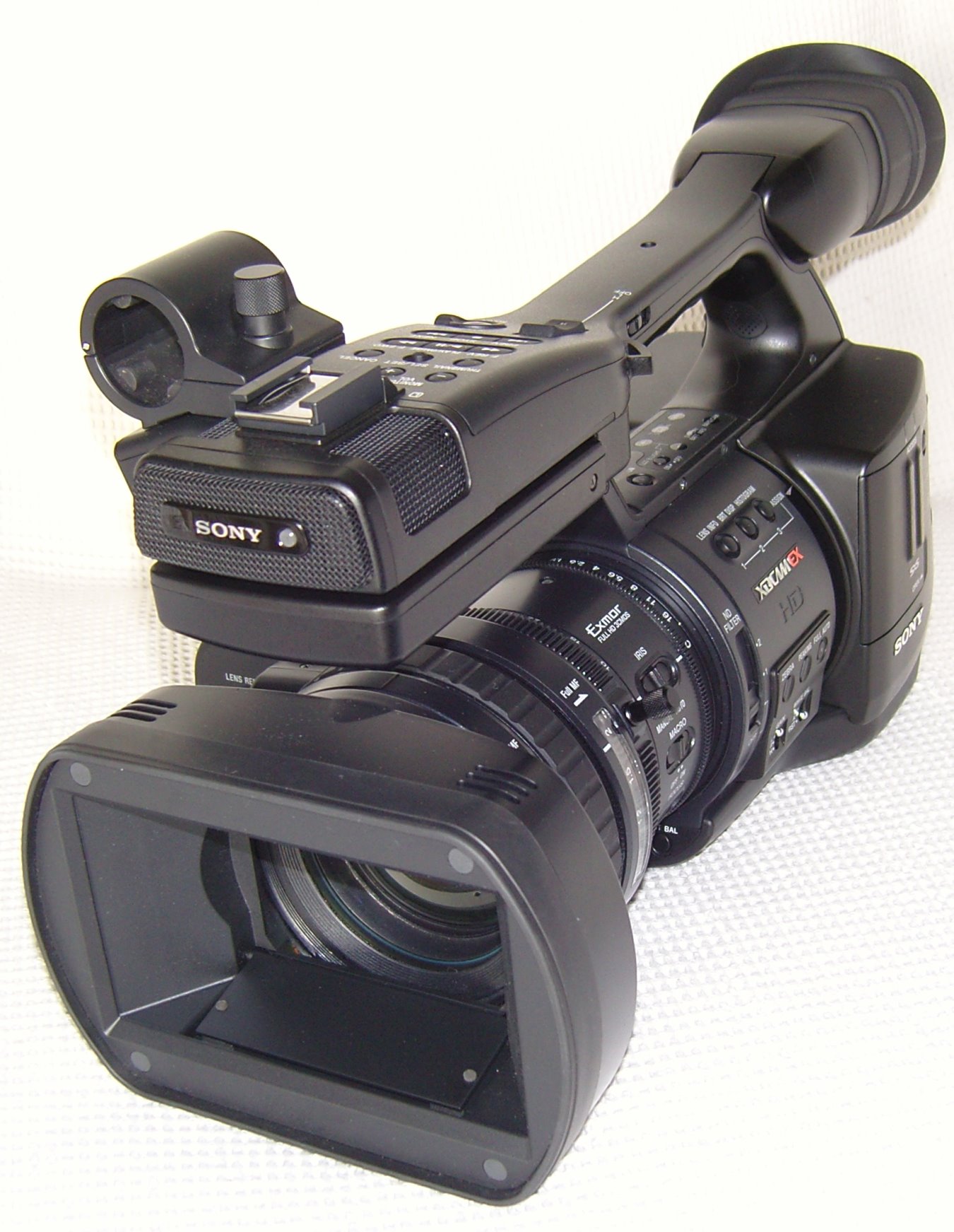
Introduction to the Sony PMW-EX1
It was only a few years ago that HD video cameras became available for consumers. The image quality was obviously better than NTSC, but not a whole lot better. Nevertheless, early adopters grabbed them up and had a ball. Sony was the first into the playing field with consumer HD.
So, we had consumer level HD cameras that were really just barely there, and studio cameras.
Then came Prosumer cameras that were actually good enough for studios, and in fact, studios used them. They were perfect for field reporting and cost less than half of a true Studio HDTV video camera. Besides, the compression in the broadcasts was so high, the lack of real detail in the HD cameras was not all that noticeable. We were all so taken with the fact we were watching High Def TV, we didn’t care that it was not all that good. It was, as might be said, “good enough”.
Specifications
- Design: 1080p30 HD Video Camera
- Sensors: Three 1/2″ Exmore CMOS
- Data Rate: 35 Mbps in HQ Mode; MPEG-2
- Resolution Modes: 1080p30, 1080p24, 1080i60, 720p60, 720p24
- Shoots in Slow Motion and Fast Motion for Special Effects
- Lens: 14x Fujinon; 5.8mm-81.2mm; f/1.9-f/16
- External LCD Viewfinder: 3.5″
- Media: SxS Pro ExpressCard Flash
- Connections: SDI, USB 2.0, Firewire, Component Video, XLR External Microphones
- Dimensions: 7″ H x 7.1″ W x 12.4″ D
- Weight: 6.2 Pounds
- MSRP: $7,499 USA
- Sony
Well, now the novelty has worn off, and just in time. We notice when the HD doesn’t look so grand, because there are some really good HD programs out there, and Blu-ray movies look terrific.
The Sony PMW-EX1 is a Prosumer HD video camera that is quite affordable ($7,499) when you take into account that it will record 1080p30. That’s right. Remember how we have all been talking about the day when HDTV programs might begin broadcasting in 1080p instead of 1080i? Well, if it isn’t actually part of program broadcasting yet, you can have for all your home videos. Those birthday parties, daughter’s wedding, trip to Europe . . . . you can record them in 1080p30 with a camera that is reasonably portable (it comes with its own small suitcase).
No, it’s not one of the pocket sized HD cameras, but you can carry it around without too much difficulty. And, as you will see, the image quality is vastly superior to any consumer HD camera of the past. It’s studio quality, affordable to the aficionado.
Sony PMW-EX1 Features
So, let’s take a look at the camera itself.
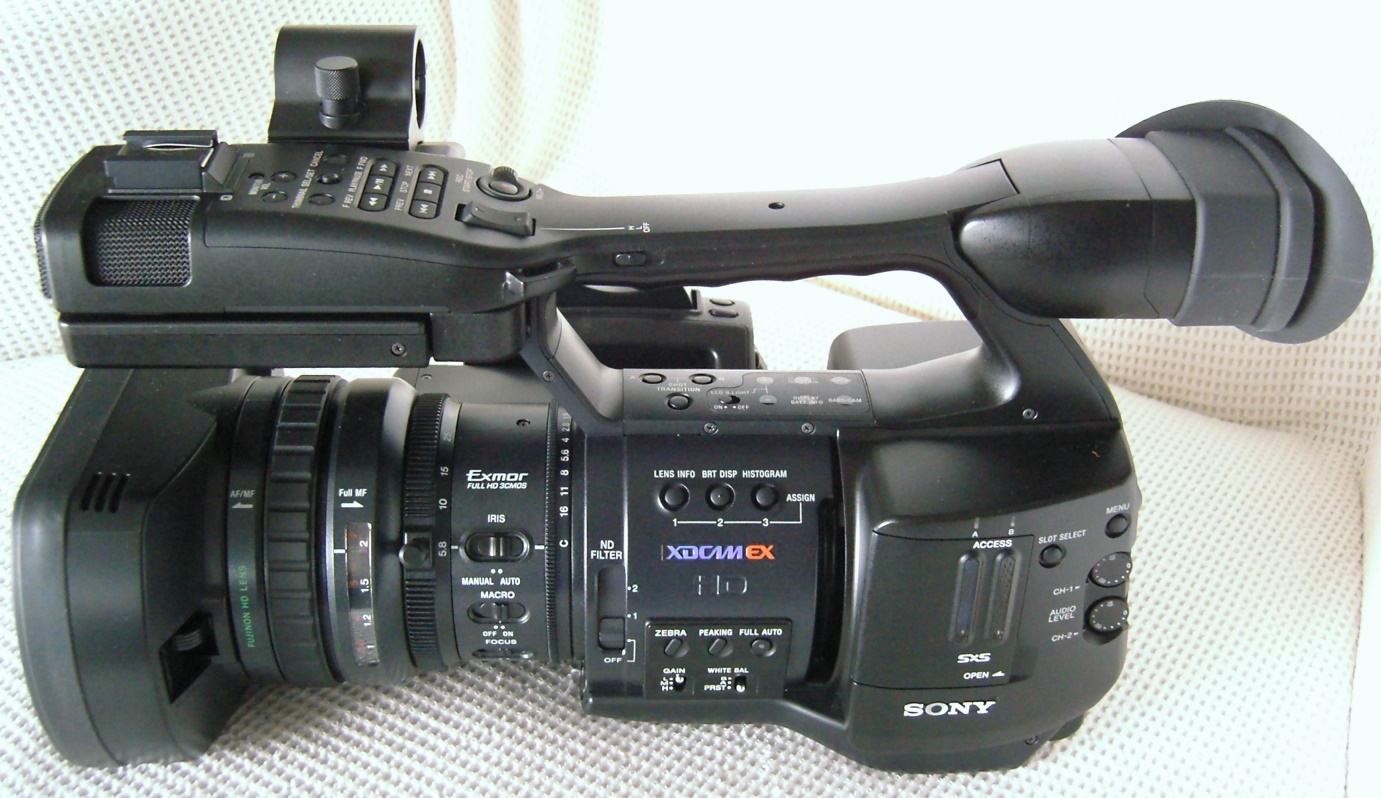
Beginning with the left side, on the front you can see the microphones at the top, and the lens shade with a sliding lever that covers or uncovers the lens. To the rear of the lens is a ring (AF/MF) for use when you want to manually focus rather than auto-focus. It basically disengages the focus motor so you aren’t working against it. You can see the manual focus distance indicator (labeled with distance markings), then the manual zoom ring (5.8-81.2), then some sliders for manual/auto control of the iris (f/1.9-f/16) and focus.
Next comes the ND filter switch. The sensors in prosumer and professional video cameras are much more sensitive than in the mass market models, so they usually have ND (Neutral Density) filters that can be slid into place if there is too much light (a bright sunny day). You can also use them to reduce light in order to have a larger aperture and reduce the depth of field. This makes the background appear out of focus.
On the main body of the camera are buttons for setting the gain (in a darkened environment, you could turn up the gain, but of course, this increases the video noise), and for displaying different information such as white peaking.
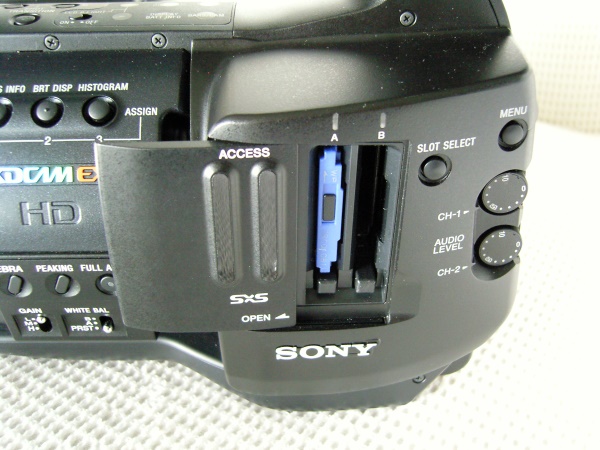
To the rear is the access door for inserting the SxS Pro ExpressCard Flash memory cards.
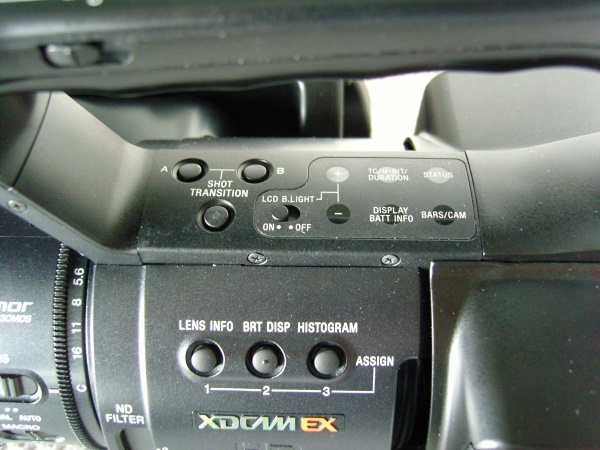
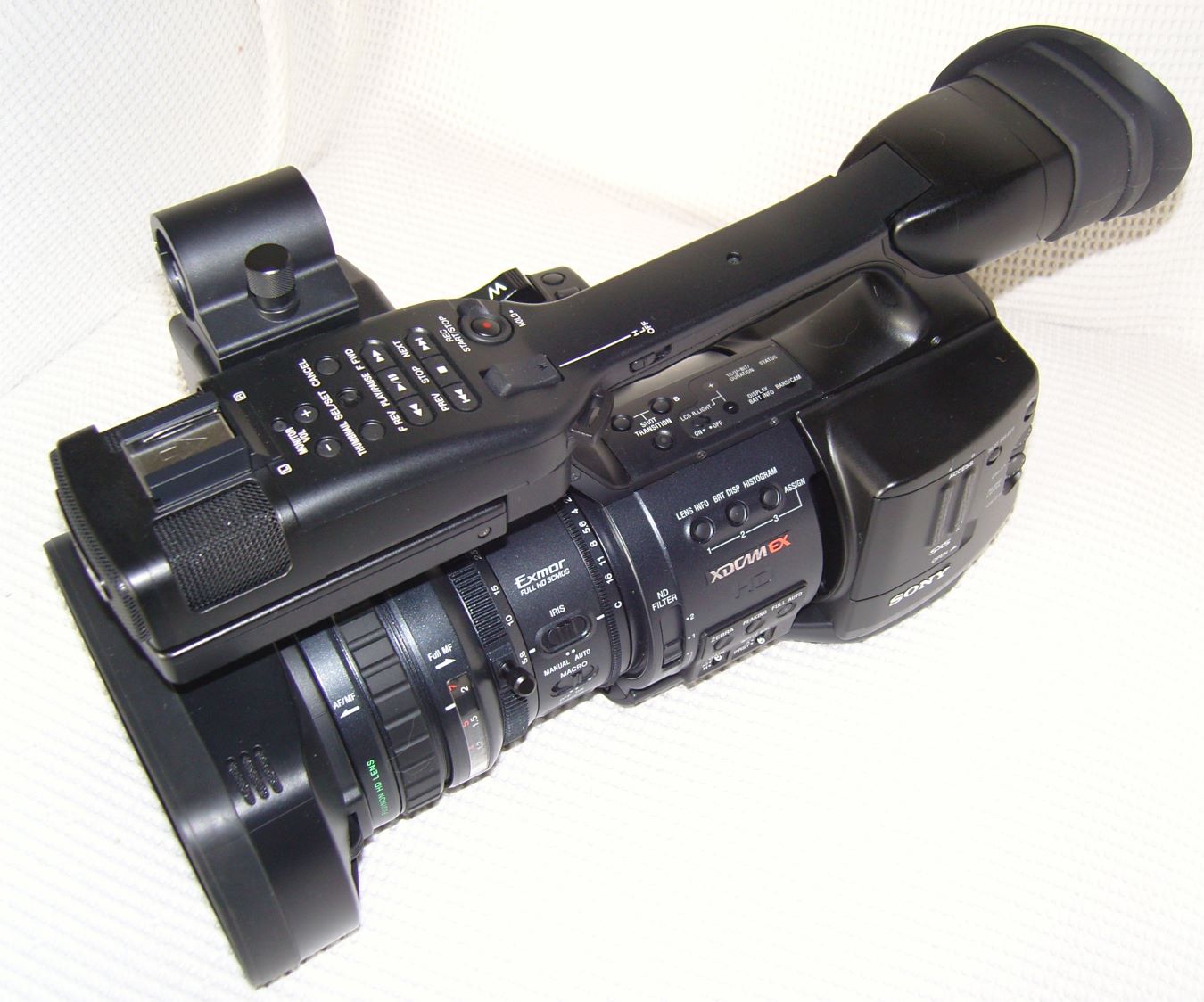
The top of the camera is shown below.
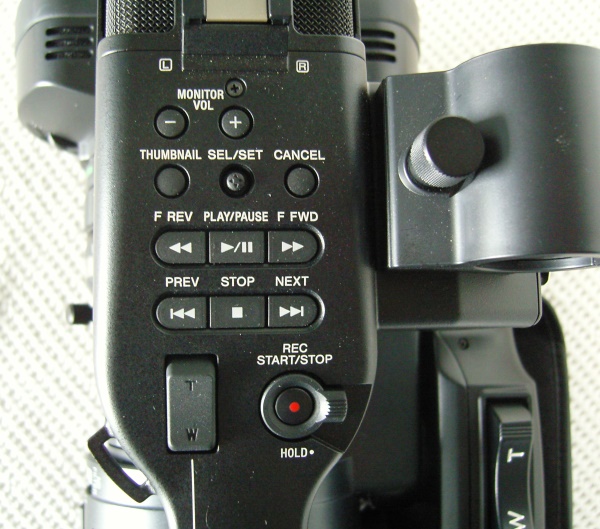
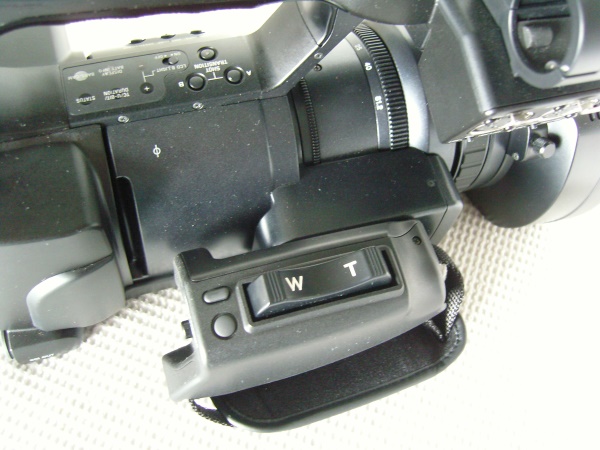
Just behind the microphones are controls that look very much like a VCR. These are for reviewing clips to make sure you got what you wanted. There is also a control for the zoom lens, and a record button. You can control the zoom on the right side of the camera as well, when using the hand strap. These controls are shown in more detail in the second photo.
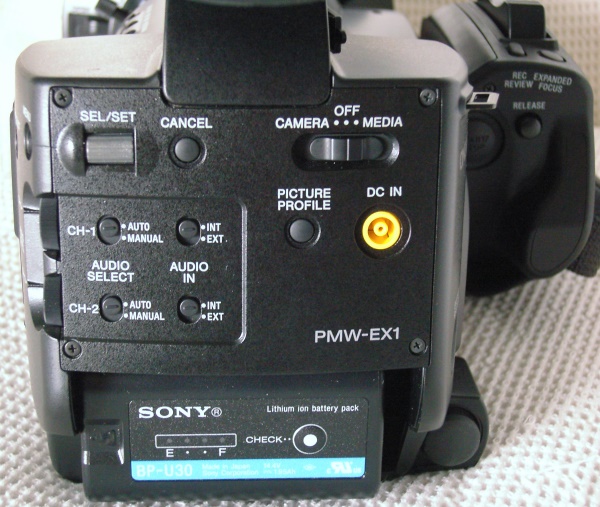
Here is the rear panel. The battery is mounted at the bottom. The main power on/off switch is at the top right. It is used to put the camera into a record mode (Camera) or playback mode (Media). You can also choose internal or external microphone support here.
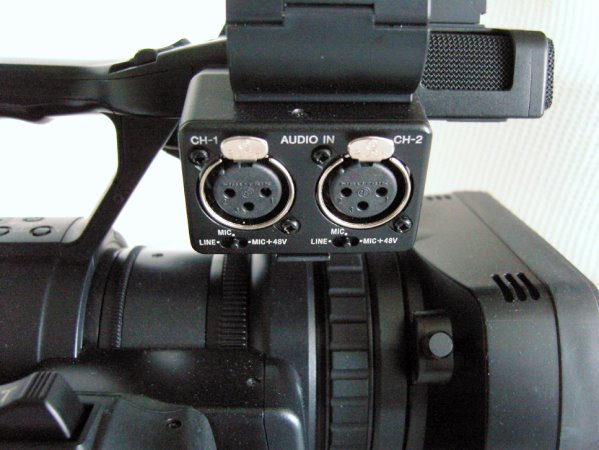
Near the built-in microphones, there is a pair of XLR external microphone inputs that can supply +48V phantom power.
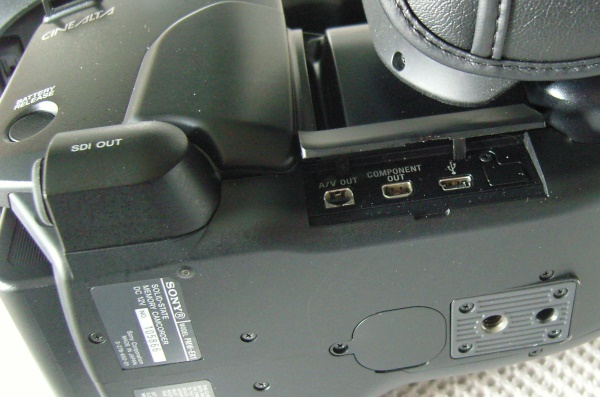
There are several ways to interface the camera with your computer or other displays. One is SDI, which is the port covered with a round rubber plug, seen at the left (SDI OUT). Besides Firewire, you can also access the camera via USB 2.0, which is underneath a flap beneath the hand strap. I found this to be a little inconvenient as the hand strap made it difficult to get the USB plug into the jack.
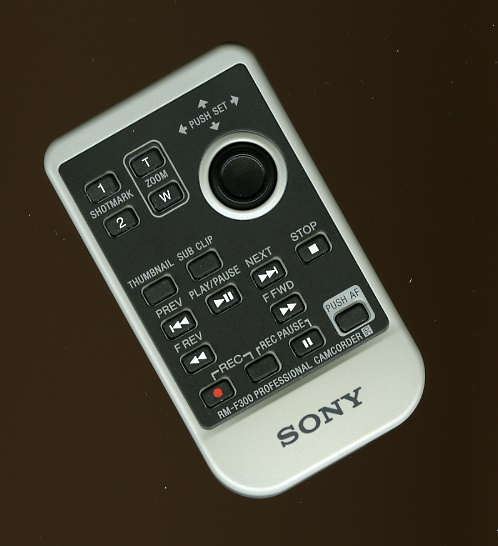
The remote control is compact and has all necessary features, including the ability to make the camera refocus if the subject changes positions.
The Sony PMW-EX1 In Use
The PMW-EX1 is a pleasure to work with. It has all the features I like for sure, but basically it just has a terrific picture quality.
The 3.5″ LCD viewing screen slides out from underneath the microphone and then tilts into place for viewing. Shown below is the basic data display. It tells you how much battery time is left, how much time you have in the two available memory card slots (I only had one on hand, but you can keep two in the camera at any one time), f/stop, color temperature, etc. I used HQ 1080i for all the tests, but it will shoot at 1080p30 if you like. Various other menu screens are also illustrated below, and they contain menu items much like on other video cameras, except for the third screen, which is for the SDI output, which would likely be used by Indie film producers for obtaining the highest quality video stream possible, recorded externally on a PC hard drive.
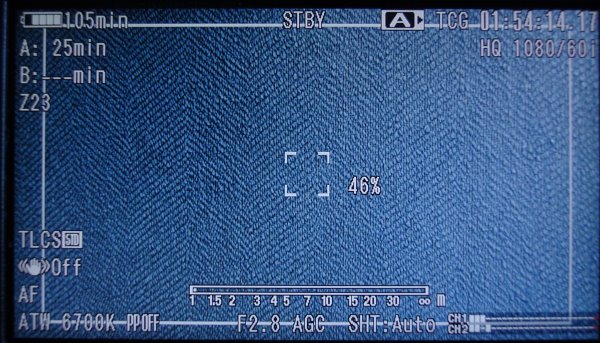
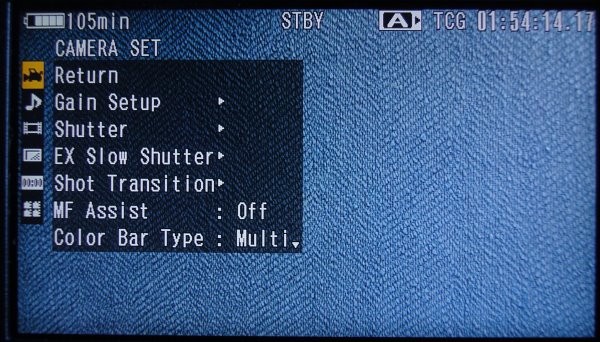
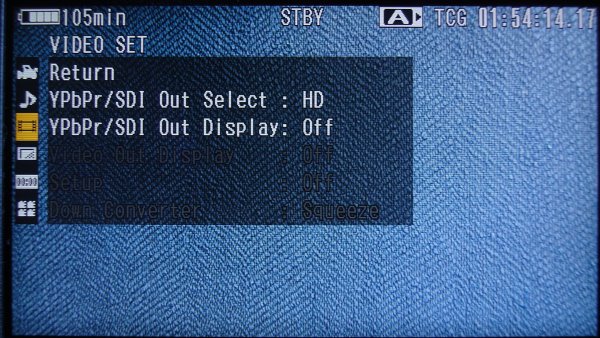
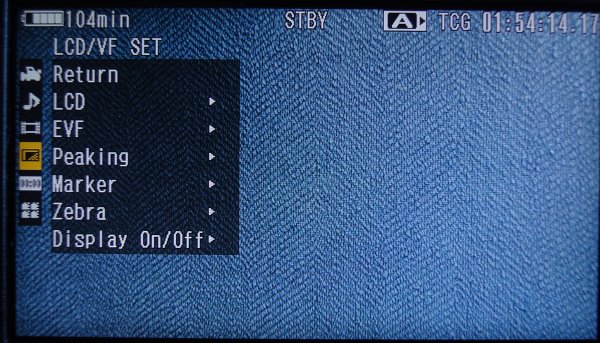
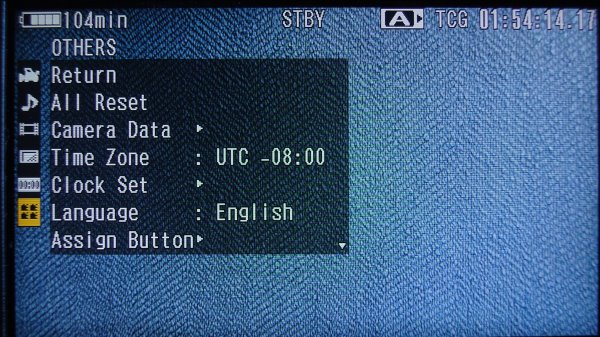
Once you have taken your videos, you can switch over to “Media” and see thumbnails for each shot, as shown below.
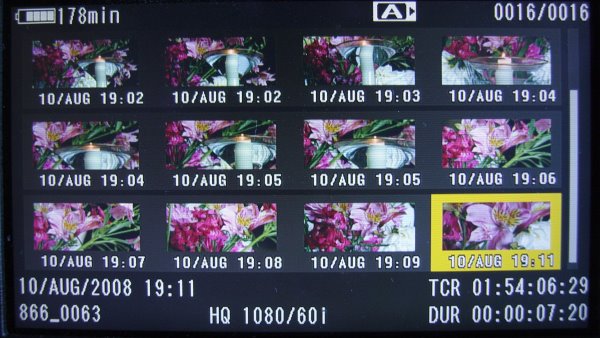
Each one can be played back on the camera just to make sure all is OK.
If you are ready to transfer the video clips to your PC for editing, you must first install the included software, then plug the camera into your PC via USB 2.0, and you will see the following screen (click on the figure to see the larger version.
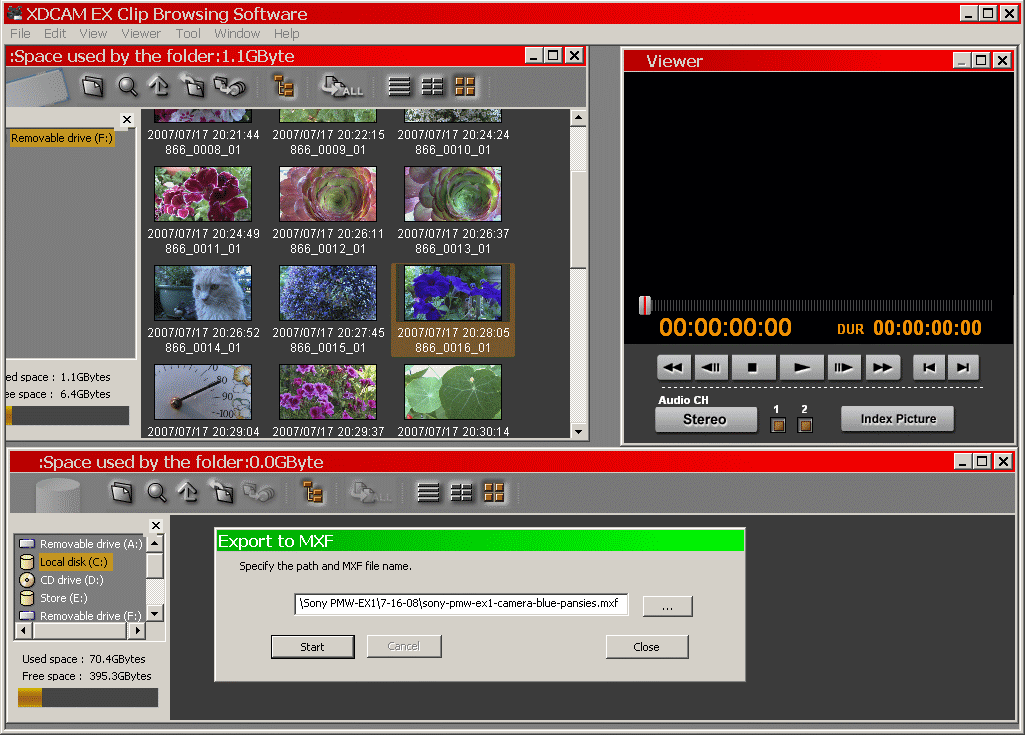
Highlight any video, double click it to play it, and then hitt
I like to do hand held shots low to the ground and the PMW-EX1 is perfectly balanced to hold with the main handle and view with the external LCD screen. There is of course a small eye level LCD screen that is automatically active if the larger one is not folded out. You can view it through the eyepiece at the rear of the camera. However, for 95% of my shooting, I use the external LCD.
Here is a vase of flowers sitting on my coffee table in late afternoon twilight.

As twilight fell to night, I shot the flowers again, by candlelight. Many cameras would render this with muddy shadows, but not the PMW-EX1.

Blues are deep and rich. Shooting in deep shadows is just not a problem for this camera.

Here is a red silk lampshade, illuminated from behind, so close-up, the lens shade was touching the silk.

This lemon was so appetizing, I picked it after the photograph to use in my dinner salad.

Deep pink was no problem for the PMW-EX1 sensors.

Neither was deep red an issue.

Look at the detail on these green leaves.

The grocery store vegetable rack test is illustrated below. The Fujinon lens is somewhat wider than other lenses we have tested. Usually, we can’t see the left end of the rack, let alone a shopper. All the vegetable colors are perfect (look at the red, green, and yellow bell peppers), with no highlight blowout.

To show you the incredible detail that the PMW-EX1 renders, I shot the grocery store soft drink rack one row over from the vegetable rack, shown below. If you click on the photo, you will see a full 1,920 x 1,080 frame, and you can actually read the labels on the bottles (copyrights and trademarks owned by the various bottlers).

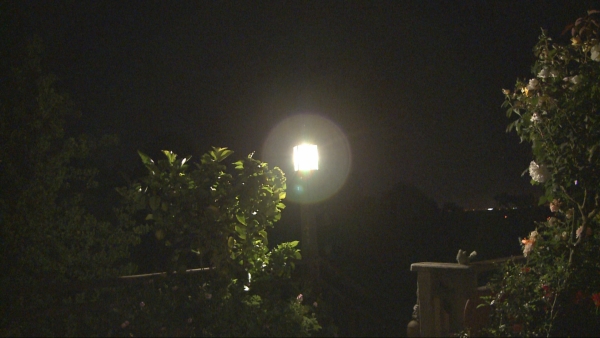
The spotlight test outdoors at night yielded the following image. Notice that the vertical, horzontal, or diagonal lines seen with other cameras are not present here. This means less sharpness loss near specular reflections.
The PMW-EX1 On the Bench
First, the lens falloff tests.
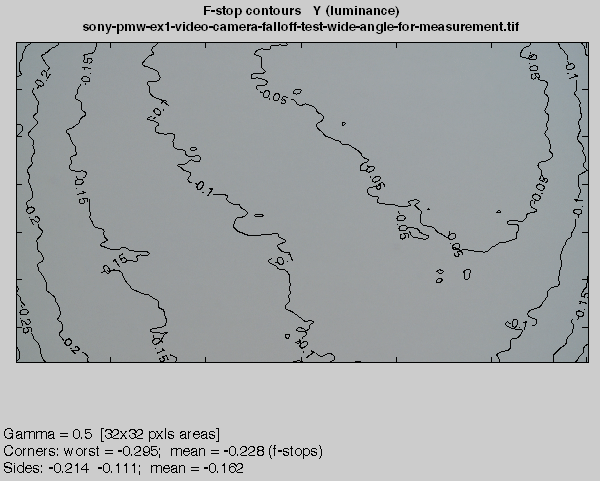
Here are the results with the lens set to wide angle and infinity focus. The maximum is 0.295 f-stops falloff, which would not be noticeable.
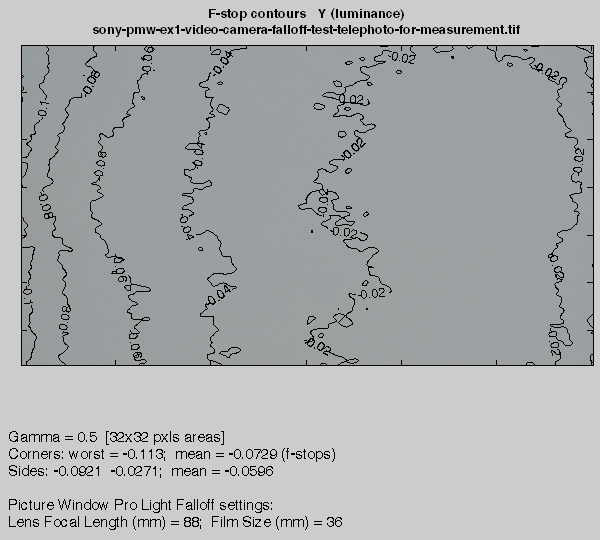
Here is the telephoto result, showing a maximum of 0.113 f-stop falloff, which is negligible.
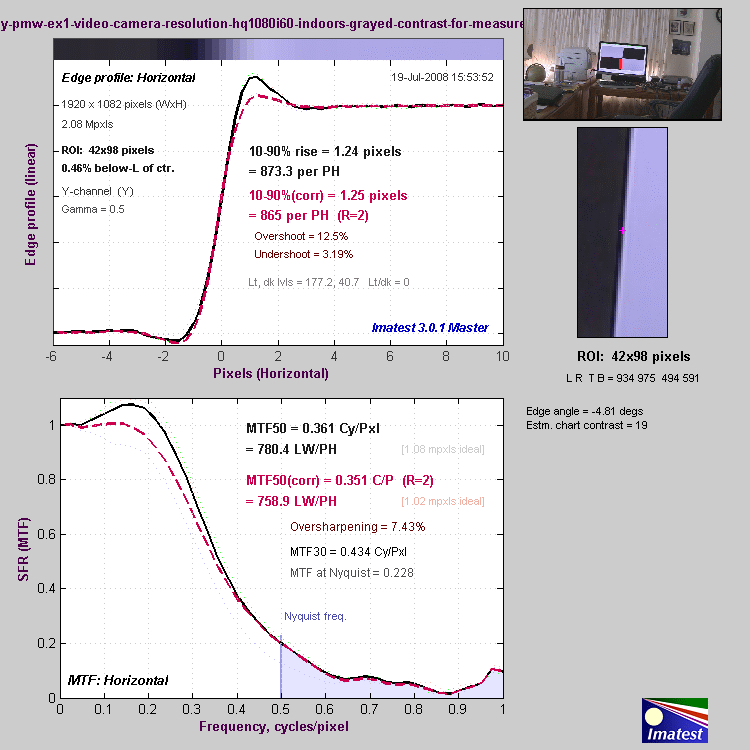
Shown below is the MTF-50 sharpness test result graph. The MTF50 uncorrected (without standard amount of sharpening) is 780.4 LW/PH, which is the best test result we have yet obtained with any HD video camera. Results for the corner of the lens were slightly worse (this is expected), at 691.1 LW/PH. The MTF50 value refers to the number of adjacent black and white lines arranged vertically, and where you would see a 50% contrast between them, and represents what is felt to be the highest resolution for optimum picture quality. We can, of course, detect lines closer than that value (780.4 LW/PH), and MTF30 would be an example of that, but the MTF50 value is the standard. In this sense, it is the “Useful Resolution Value”. But regardless of semantics, the PMW-EX1 MTF50 result is terrific!
Measured chromatic aberration (CA) was also very good, at 0.161 pixels near the center of the lens (0.732 pixels for the lens corner). The Fujinon is a very good lens. Now you can see why we spend so much effort with the bench tests. Many HD cameras specify 1080 resolution, but it is not just the sensor that gives you the image. The lens is extremely important, and the Fujinon lens in the PMW-EX1 is undoubtedly a significant part of the $7,000 price.

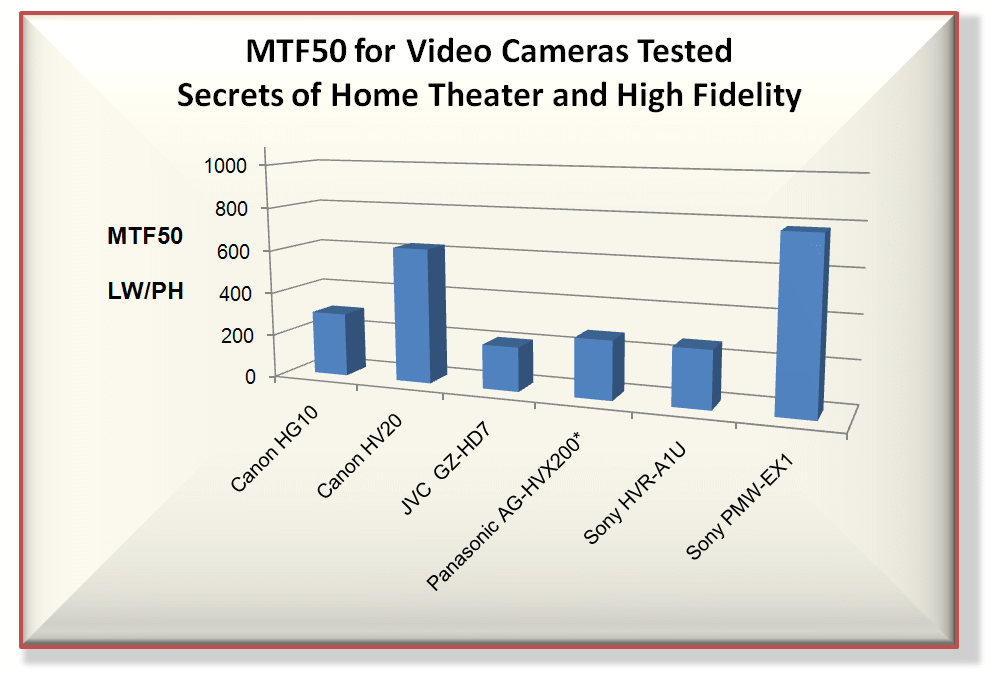
Here is a summary chart showing the MTF50 LW/PH values for all the video cameras we have tested, using the MTF50 criterion, so far. The Sony PMW-EX1 is far above the others, but the Canon HV20 does pretty well too (and is a bargain at about $1,000). The Panasonic AG-HVX200 is 720p native rather than 1080i.
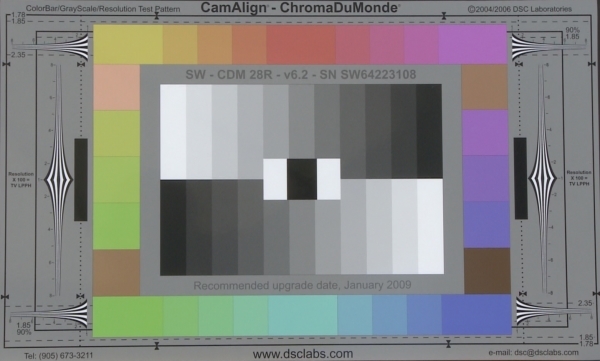
The ChromaDuMonde chart (a standard color test chart in the television industry) was reproduced by the PMW-EX1 as close to the original as I have ever seen.
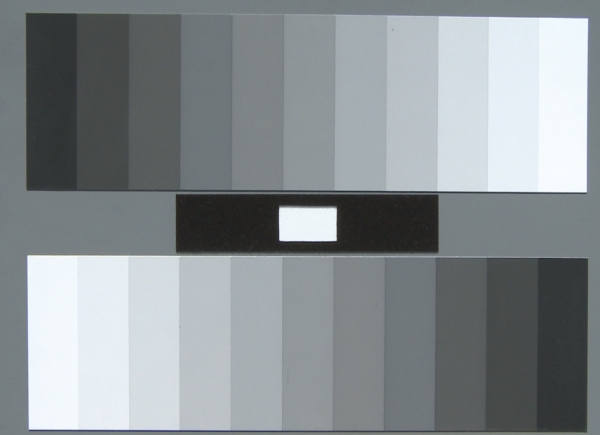
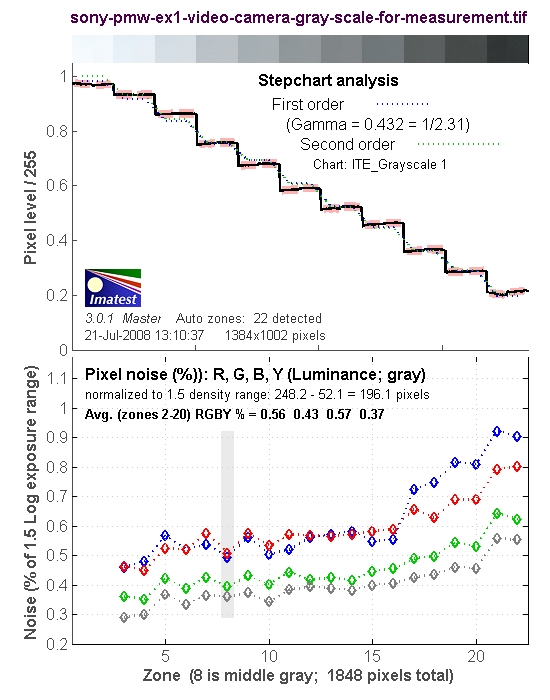
The gray scale results indicate that Sony does not roll off the white response just to keep the highlights from being blown out. They assume you, as a photographer, know what the heck you are doing, so the response is flat. The noise data (lower graph) show a steady rise in noise as the gray levels become darker, meaning they do not employ noise reduction processing. With some cameras, the darker grays actually have reduced noise compared to the whiter grays, suggesting strong noise reduction, and that will reduce sharpness (noise and image sharpness are intimately related; if you utilize image processing to reduce noise, you reduce sharpness as well, unfortunately).
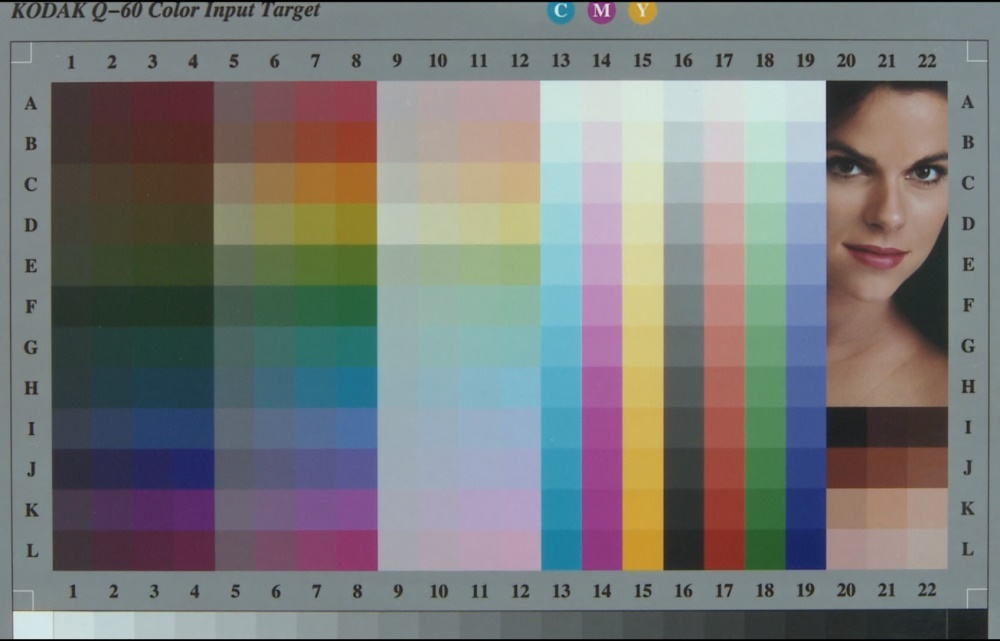
The Q-60 Color Target appeared very natural, with all colors rendered very close to the original. Perhaps a bit of underexposure.
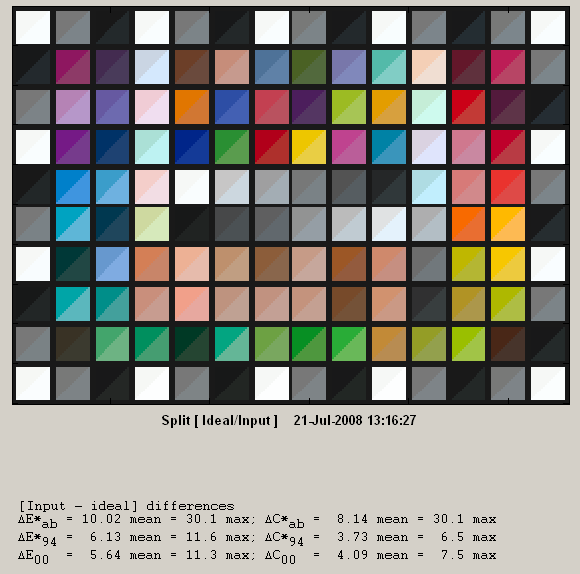
Below are the Gretag SG Color Chart results. Just a bit of overexposure, but overall, the colors are reproduced well.
Conclusions on the PMW-EX1
The Sony PMW-EX1 is a superb camera. It would be somewhat cumbersome to carry around on vacation, but when you returned home and put together your family vacation video, you would thank yourself for lugging its 6 pounds of weight (not including the case, which weighs 14.5 pounds by itself and has wheels) all over the place. And, Indie film producers take note. This may be just the camera you are looking for.