 YouTube
 Facebook
 Twitter
 LinkedIn
 Pinterest
 Instagram

Introduction
If you have watched high definition TV commercials in the past couple of years, you have seen video material shot with the Panasonic AG-HVX200. Although its native resolution is 720p instead of 1080i, you probably did not notice the difference between the sharpness in the commercials and the TV program that was supported by the commercials. It is a standard.
The reason this camera is a standard equipment is that (1) it is an excellent quality, very flexible camera, and (2) it is not nearly as expensive as high definition studio cameras ($50,000). Probably also, you don’t care whether or not the soup cans, shirts on sale at the department store, or the latest model automobile is being shown in its ultimate detail.
The Design
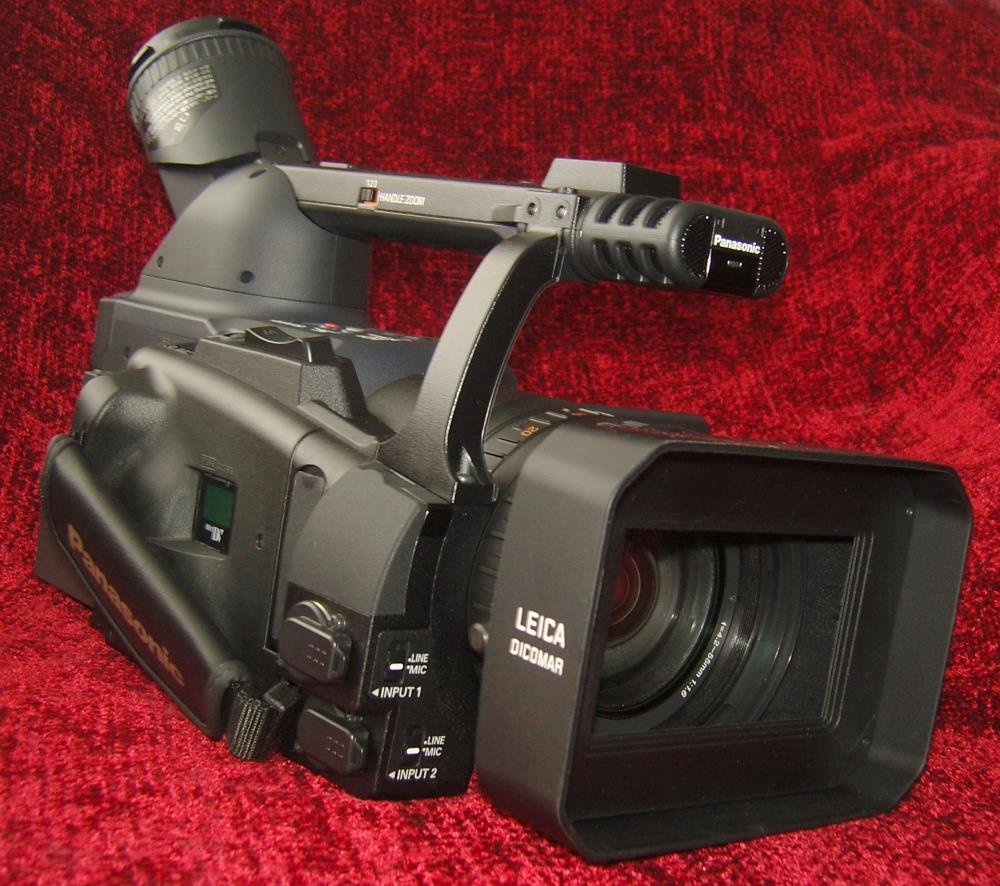
The AG-HVX200 is a three-chip (CCD) camera with a big (f/1.6) Leica lens and XLR inputs for professional microphones.
A front left view of the camera is shown below. You can see the included lens shade, focus and zoom rings on the lens, and a number of camera controls along the side (click the photos to see larger versions that show the detail).
Specifications
- Codecs: DVCPRO HD; DV
- Sensor: Three 0.33″ CCD
- Native Resolution: 1,280x720p
- Recording Bit Rate: 100 Mbps
- LCD Screen: 3.5″ Diagonal External;
0.3″ Diagonal Internal - Storage: P2 Card, DV Tape
- Lens: Leica Dicomar; 4.2mm-55mm;
f/1.6; 82mm Filter Diameter - Gain Settings: 0/+3/+6/+9/+12/+18 dB
- Recording Modes: 1080i, 720p60, 720p30, 720p24, 480i
- Outputs: Firewire, Component, USB 2.0
- Remote Control Included
- Dimensions: 7.1″ H x 6.6″ W x 15.4″ D
- Weight: 6.5 Pounds
- MSRP: $5,995 USA (P2 Memory Cards are Additional)
- Panasonic
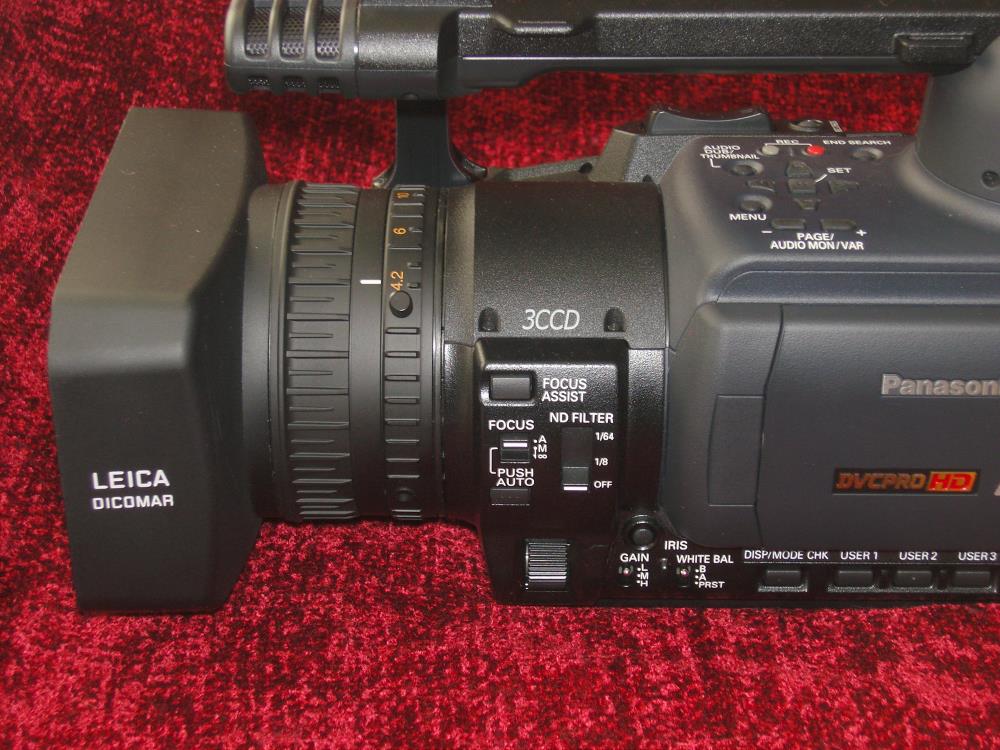
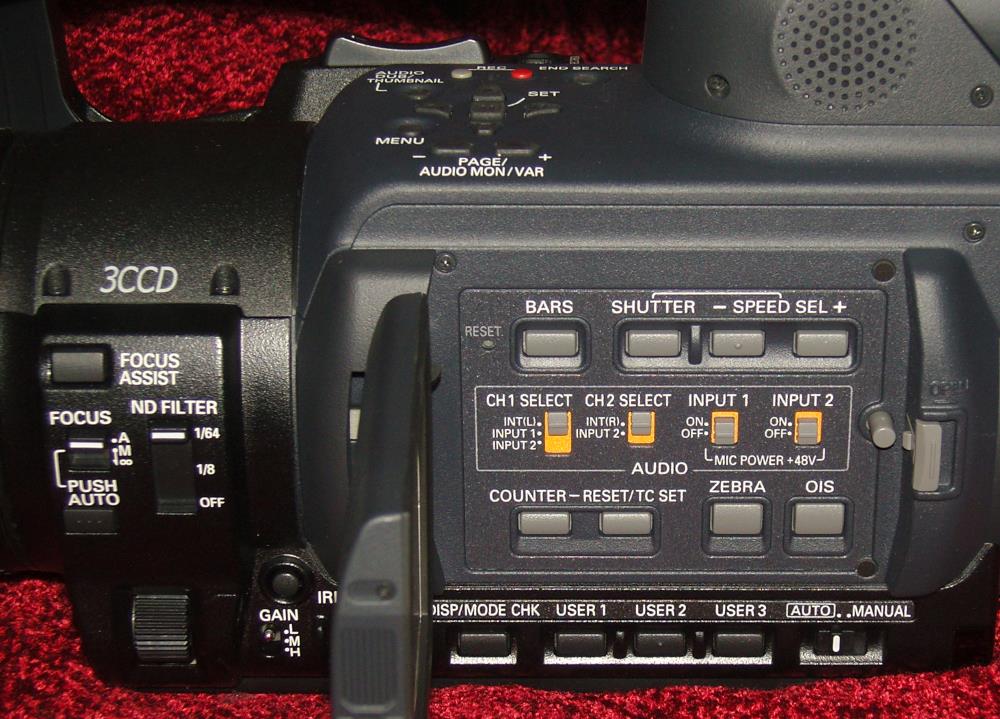
More detail of the controls along the left side of the camera are shown in the photo below. Besides the Focus Assist and White Balance buttons that you might find on most video cameras, there are also ND (Neutral Density) filters for use when the lighting is too bright, and the Gain button which boosts the sensitivity in dark environments.
Along the top of the camera in this photo are the buttons used to access the menu and its options. You can see some user buttons along the bottom right, which stores memory settings of preferences for different users. The LCD panel is closed in the photo.
When the LCD screen is open, a panel of buttons is revealed underneath. These are mostly to do with controlling inputs and also to adjust color (Bars) and brightness (Zebra). At the bottom is the Auto/Manual selector. When it is set to Auto, you really cannot adjust very many things. I suspect that pros never use the Auto setting.
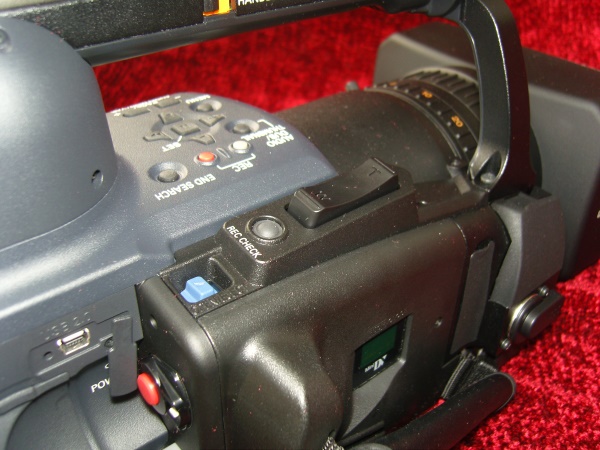
Along the right side on the top is the zoom toggle, and the record button (red) is on the rear. You can see a USB 2.0 port to the left of the record button.
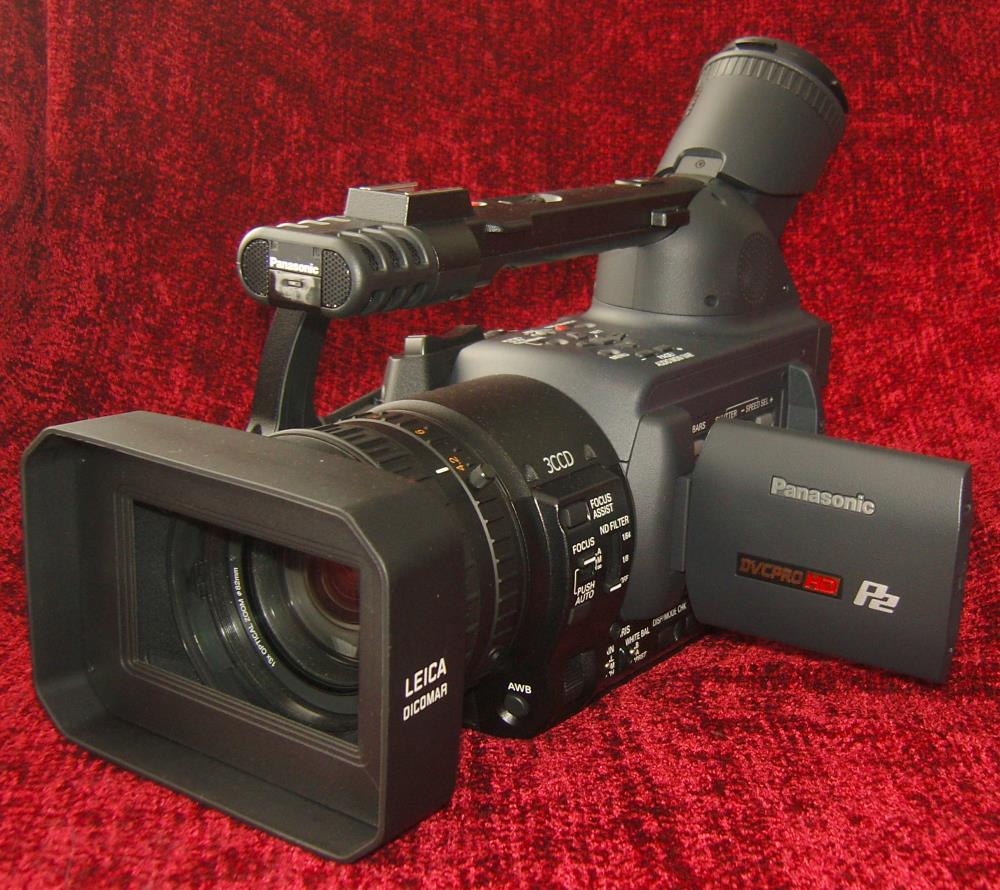
On the rear of the camera, shown below, are adjustments for the sound recording level and a switch for setting the camera so that you can download the recorded files from the P2 card into a PC for editing. You can also see the very large battery at the bottom and two slots for P2 cards at the top, just underneath the eyepiece for the internal monitor LCD screen. That eyepiece is as big as it looks. It consists of very hiqh quality optics, and it tilts upward for viewing at when the camera is held at chest height. It takes quite awhile for the battery to charge, but it lasts a very long time in use. However, I am sure that pros carry an extra fully charged battery to switch over during shooting sessions.
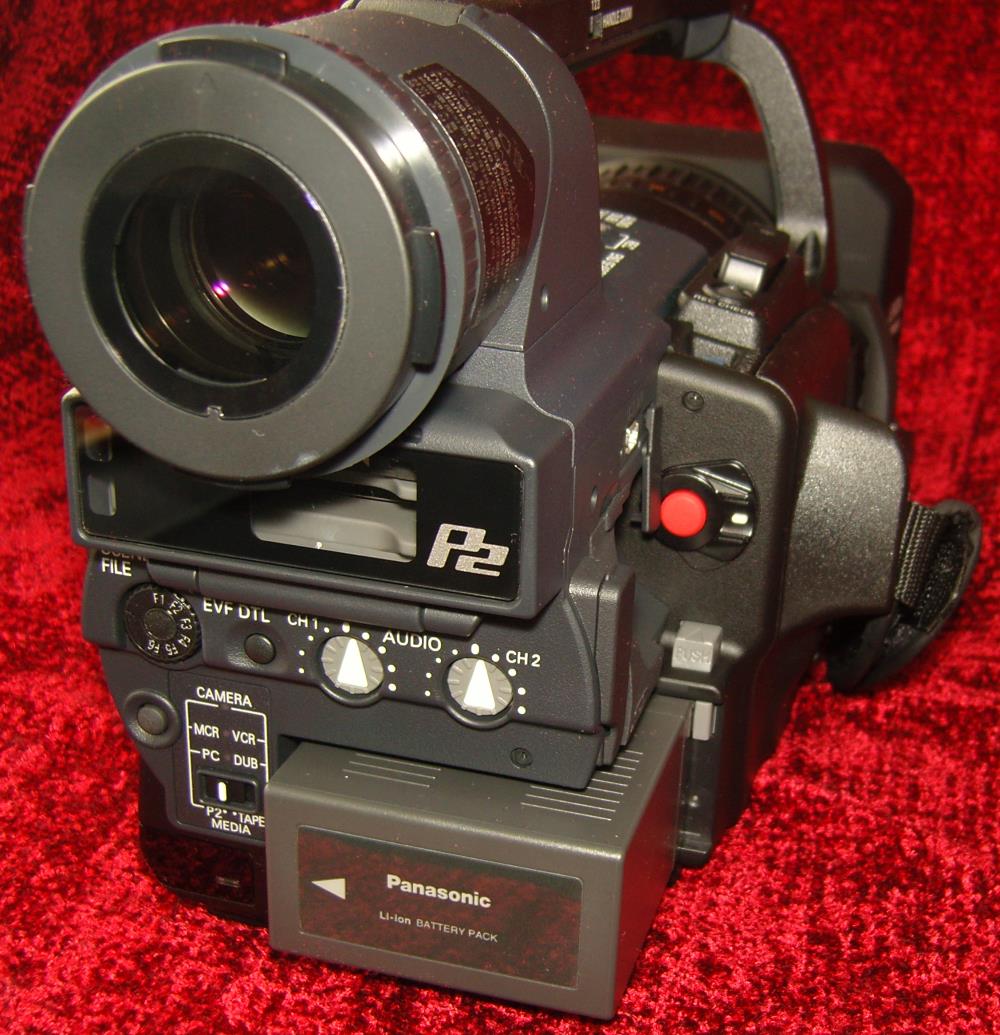
Just the eyepiece for the internal monitor is probably as expensive as the camera lens on some of the $1,000 video cameras. It has coated elements and is very sharp.
All in all, this is a beautifully constructed camera and is nicely balanced. I took some shots holding it with one hand low to the ground while I was walking, and it was a snap to keep it perfectly horizontal. I know there are some other cameras out there that tend to roll to one side or the other, but this one does not do that.
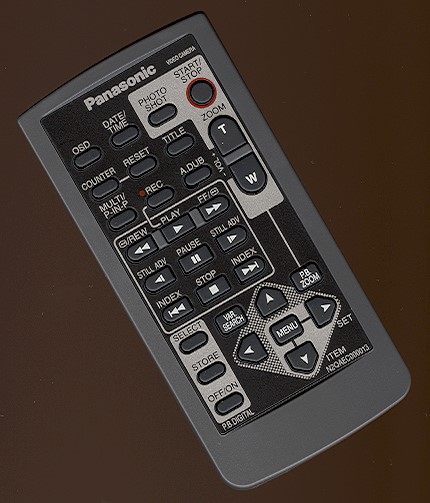
Here is the remote control. The main thing I would use this for is starting and stopping the camera from across the room if I were taking group videos at a family dinner. You can also remote zoom the lens.
In Use
Using the P2 cards was a little awkward at first, because the various shots are stored as individual files, and it is a little tricky moving them to the computer for editing. They do not have sequential numbers, so it is easy to get confused as to which one represents which shot in my notes. Also, the files are broken into audio and video records, as well as some other things. These are useful for the pros, but for an everyday user, it is inconvenient.
I had to download some software called Raylight so that I could open the files even in a major NLE (Non Linear Editor) like Sony Vegas 7, and the software (a plug-in) costs about $200, but it is excellent and its use with Sony Vegas made the editing process a pleasure.
OK, let’s get started with some photos. As always, the photos shown below are unmanipulated except for sizing to fit in the review pages. Click on the photos to see larger versions.
This fruit basket was in my kitchen one sunny afternoon, and I couldn’t resist. White balance was perfect. In this case, the sunlight was indirect.
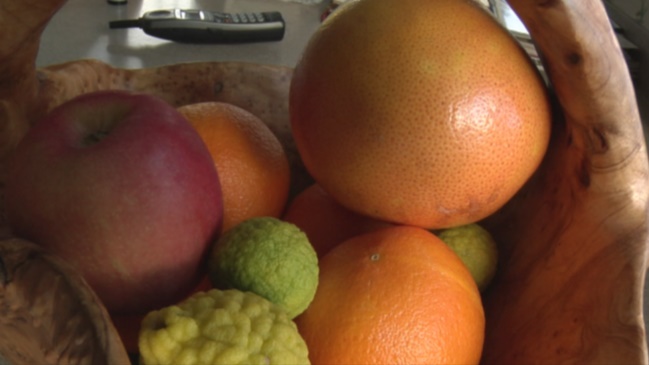
When I put the basket in direct sun, and added a lemon at the bottom right, the image was still very good, with just a slight blowout of the white highlights. The grapefruit and orange just behind that lemon are too yellow though, where the sun is directly on them.

This red basket represented a real challenge. I had anticipated that there might be quite a bit of artifacts at the edges of all the beads, but it didn’t occur. That is a nice advantage of recording at 100 Mbps. Other cameras typically use somewhere around 25 Mbps, which requires more compression, and thus, produces more artifacts.

Blue is very rich with the AG-HVX200, as seen in this shot of a ceramic bird. Again, white balance is perfect. I did notice that it sometimes took about 1 or 2 seconds for the white balance to stabilize, so what’s called a “pre-roll” is called for. That means start shooting a few seconds before the action that you are going to be using starts.

These white flowers from a potato vine are rendered just a bit underexposed. That is because an exposure meter is designed to produce an exposure for neutral gray (17% gray), and that means white gets underexposed if it is a major part of the composition as it is here. However, white balance is again, spot on.

I always like to include this green succulent in my camera reviews because it has such a beautiful geometric composition. The color is exactly the way it appears in reality.

In the past, yellow has been a difficult color for digital sensors. Obviously, manufacturers are getting a handle on this problem as shown here. No issues at all.

Red is (was) another tough subject, and nothing is redder than a Poinsettia during the winter holidays. No problem here.

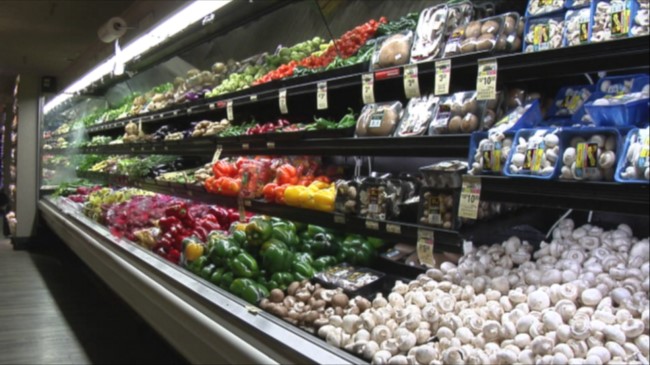
And here is the Safeway rack of veggies. This is the best white balance I have yet seen from a digital video camera in Auto mode. The only criticism I have of this camera is that it is not as sharp as a 1080i camera, but that is natural for a 720p product. However, the noise and chromatic aberration were much lower with this camera, as you will see in the bench tests, and I think that may very well be more important in professional video making for the TV commercial business.
Here is the iris test to see how quickly the iris closes down when exposed to a bright light. Click on the photo to download the short video. The results are about like all the other video cameras we have tested, with a close down time of 1.5 seconds.

And here is the moving points of light test. Again, the smearing is like the other cameras we have tested. Click on the photo to download the video that will show you the smearing.
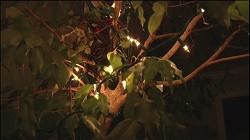
The outdoor lamp test results were better than all other cameras. Notice that there is only a faint vertical line emanating from the top and bottom of the lamp. Usually, it is much more pronounced. This means better resolution around specular reflections in daylight images.

Here is a shot from my fireplace in the evening, using Low Gain. This gain setting will give the lowest noise.
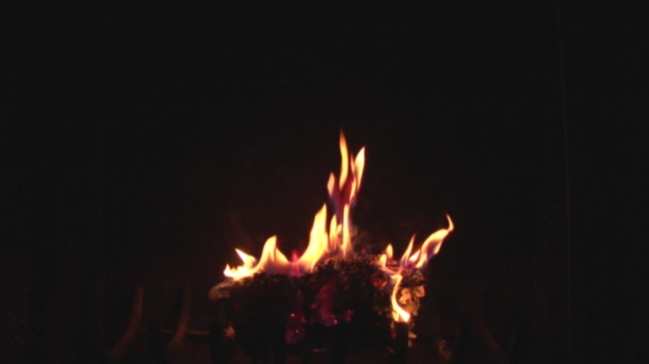
Now, here is the fireplace again, only this time, with the Gain setting on High. Notice that the rear and sides of the fireplace are now visible. The gain settings basically change the gamma.

On the Bench
Now for the graphs.
At wide angle, the falloff is surprisingly small. Only 0.5 f/stops.

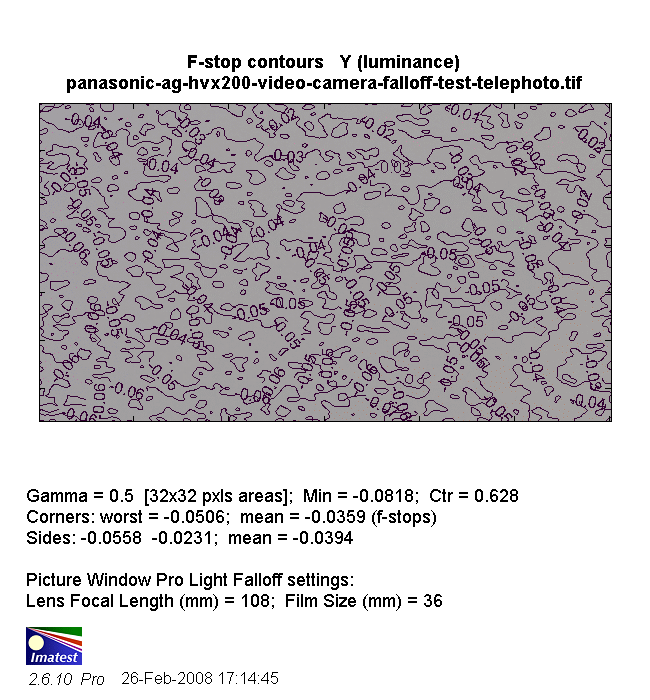
For telephoto, the falloff was still small (maximum of 0.05 f/stops), but it varied widely throughout the visual field. This is very unusual and something I have never seen before. However, the falloff is so low, this will not be visible in the images.
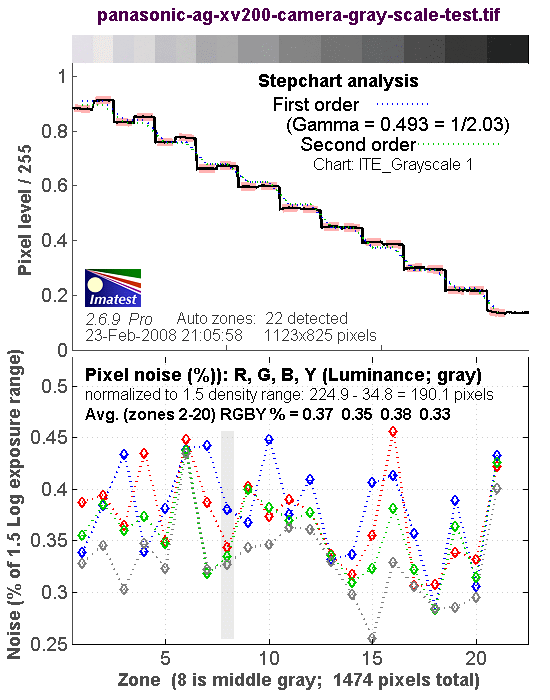
The gray scale test results are shown below.
Here is the shot from the camera.
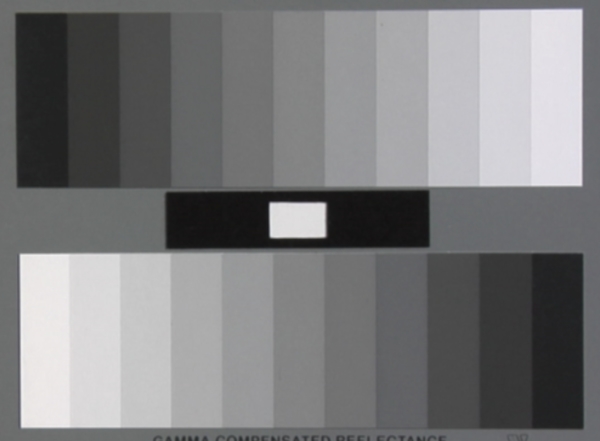
To perform the analysis, I open the software and center the blue rectangles on the photo taken from the camera.

And, the results are shown below. Like most video cameras, the AG-HVX200 reduces the higher IREs (whiter “Zones”) to keep from blowing out the whites. You can see this in the row of eleven gray levels at the top of the graph. At the left end, the first four gray levels (from white to light gray) show a difference in the camera’s reproduction of the gray level from the reference gray level. You can also see this in the staircase diagonal graph just below the gray level strip. By the time gray level 5 (fifth from the left) is reached, the reproduced gray is the same as the reference.
The noise levels are less than 0.5%, which is much lower than with other video cameras I have tested (closer to 1%). This can mean a lot when shadows are in the scene.
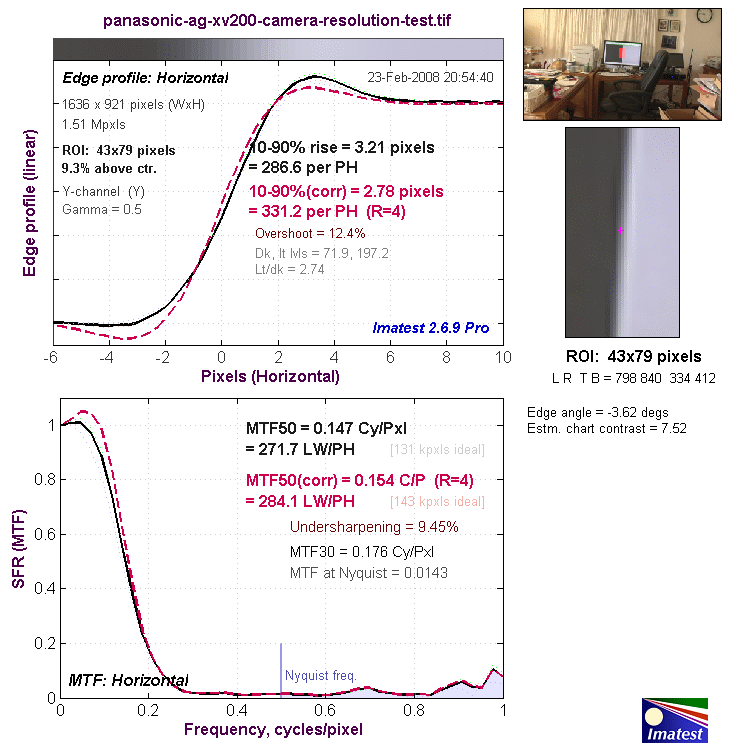
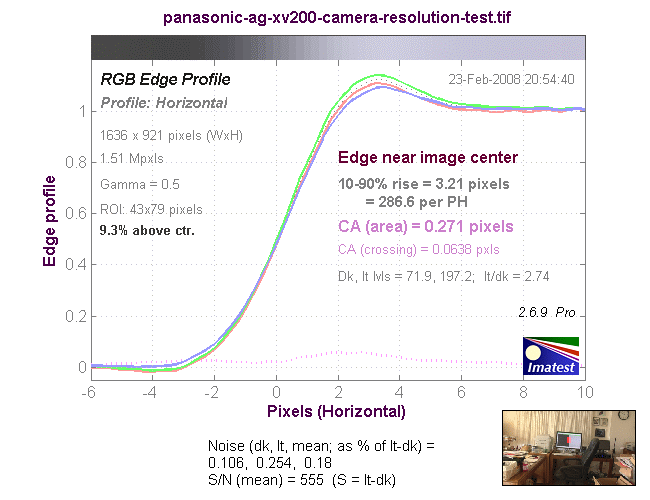
Resolution was about what I expected from a medium-high priced 720p camera: 271 LP/PH. This is lower than some of the less expensive 1080i cameras, but that is to be expected. However, it is actually better than one of the 1080i cameras I tested.
Chromatic aberration was a very low 0.27 pixels.
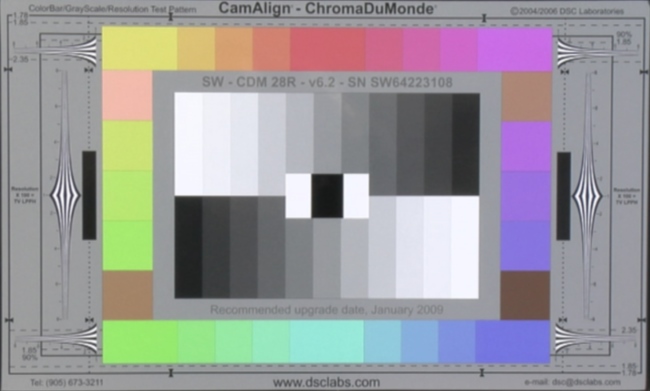
The 28R test pattern results show again, excellent color rendition. The reason this test pattern is used, is that it has the most difficult colors for the video camera to handle, and it handles them very well.
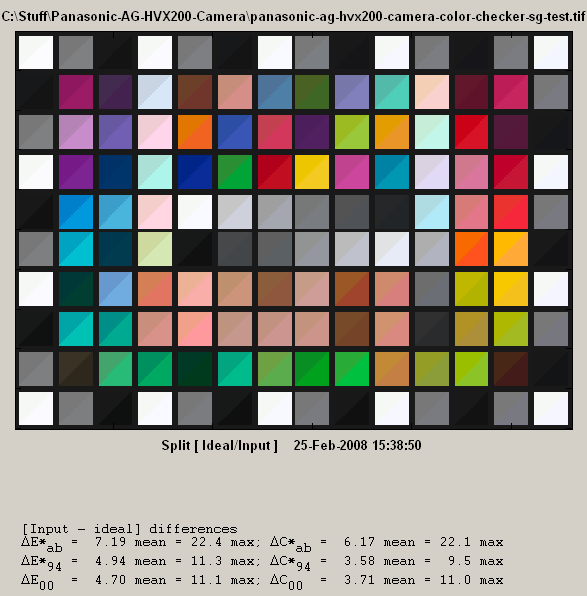
For more typical colors, the SG color chart is shown below. The Panasonic is more accurate here than any video camera I have yet tested.
Conclusions
The Panasonic AG-HVX200 is an excellent high definition video camera. I understand why professionals use it for shooting TV commercials. It has tremendous flexibility and very low video noise, along with superb color rendition. However, there are other pro HD cameras emerging now that have 1080i resolution in the same general price range, and it will be interesting to see if the HVX200 can continue to compete in this market.